


Content style guide
Title tags
General guidance
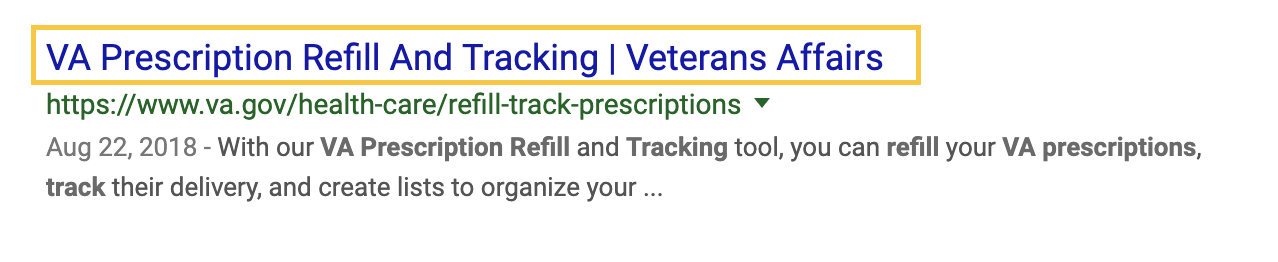
On VA.gov, title tags are pulled from the H1 (the page title), so it’s especially important to use the primary keyword or phrase in the page title.
- Format for most pages: H1 Page Title | Veterans Affairs
- Use initial caps for title tags (for example, “Find A Form,” not “Find a form”)
Example
Additional guidance
For VA medical center (VAMC) websites and forms and subtasks, we need to include additional information in the title tag for clarity and accessibility. The title tag format is different for these pages.
Exception 1: VAMC websites
Because many Veterans search for VA hospitals by city or region, it’s important to include the region to distinguish the VAMC page from the national content on VA.gov.
- Format: H1 Page Title | VAMC Plain Language System Name | Veterans Affairs
- Example: Psychology Internships And Fellowships | VA Pittsburgh Health Care | Veterans Affairs
- Example: H. John Heinz III Department Of Veterans Affairs Medical Center | VA Pittsburgh Health Care | Veterans Affairs
- Use the plain language VAMC system name in the title tags
- For VAMCs, we don’t apply a character limit for the meta title
Because the official facility location names can be very long and because we use them in the H1 page titles of location pages, we let search engines shorten the title tag according to their character limit.
Exception 2: Forms and multi-page subtasks
Some form components, like the Income limits tool and forms using the Form step - minimal template, use the question for the H1. This may be helpful for people as they fill out the form, but it’s less useful as the title tag on its own. If someone has multiple forms open, we want them to easily be able to tell the forms apart with clear title tags.
Each page in the flow should have the H1 and form number in the title tag.
Format: H1 Page Title | VA Form Number | Veterans Affairs
- Example: Your Relationship To The Applicant | VA Forms 10-10d and 10-7959c | Veterans Affairs
- Example: Upload Supporting Documents | VA Form 21-4170 | Veterans Affairs
Privacy guidance
Title tags can’t include Personally Identifiable Information (PII) or Protected Health Information (PHI).
Pages with PII/PHI in H1s must genericize the title tag. This ensures the information isn’t tracked back in analytics or other logs through the page title.
For example, a detail page within an authenticated tool may have an H1 that includes specific information about a person—a physician or clinic visited, a medication prescribed, a disability rating, an individual’s file number, etc.
Like this
H1: Prednisone, 25mg
Breadcrumb: VA.gov home > My HealtheVet > Medications > Medication detail
Title tag: Medication Detail - Medications | Veterans Affairs
Not this
H1: Prednisone, 25mg
Breadcrumb: VA.gov home > My HealtheVet > Medications > Prednisone, 25mg
Title tag: Prednisone, 25mg - Medications | Veterans Affairs
This does create an a11y infraction where there isn’t a unique title tag for each page, but there isn’t other meaningful data that can be exposed in the title tag to differentiate it. The VA 508 office approved this approach in these use cases.